Product updates
We work hard on improving Rentman every day. Find out what's new in our latest updates.
All
Inventory
Equipment Tracking
Crew
Quoting & Invoicing

Version F62 / B67
- It is now possible to change already answered invitations in the crew planner module.
- When scanning extra equipment to a project, you can now add all of the scanned extra items to the project with one click.
- You can now create a contact person for the location, just as you always could for your clients.
- The order of the subprojects is now the same in the crew planner as in your project.
Version F61 / B66
- You're now able to see projects in (My) Schedule and can use filters to change the view.
- After booking all equipment to a certain status in the warehouse, a pop-up will open, asking if you want to change the status of the project.
- In the crew planner, you're now able to filter the displayed functions.
- You can now immediately book extra equipment to the right status.
Version F60 / B64
- From now on you'll be notified when your websockets are blocked or not working.
- We made it possible to add a warning to a contact that is displayed when he's selected as client in a project.
- In projects you are now able to see sent invoice reminders.
- We added icons to the invitations in the module My schedule.
- All imported equipment will have a qr-code.
Version F58 / B60
- Drag-and-drop equipment items within your equipment list and projects.
- You can now update equipment in duplicated projects with your current data.
- We made two updates to the widget bar in your equipment list and projects. You now see accessoires and the total weight for equipment groups.
- Public appointments now have their own row in the availability timeline of the crew planner.
- Your grouping selection in the warehouse module is now remembered when you return to the view.
Version F57 / B59
A lot of improvements in this update!
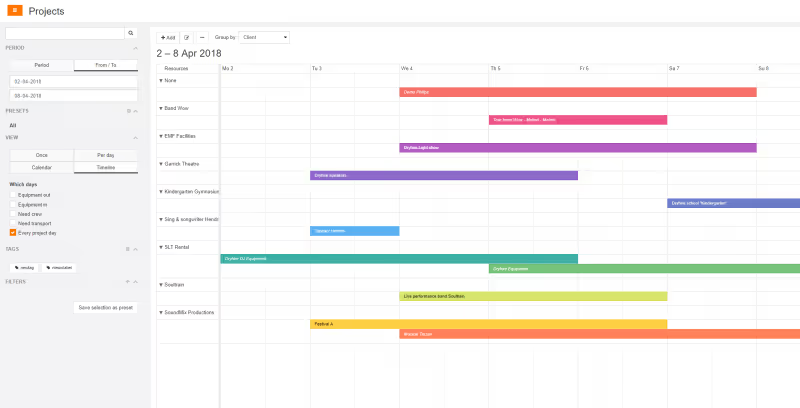
- A new timeline view lets you see what projects are coming up
- Multiple improvements to our export function - you can now export serial numbers
- Invitations are better visible in the crew planner and can now include an expiration date
- You can now add multiple contact persons in one go
Version F55 / B57
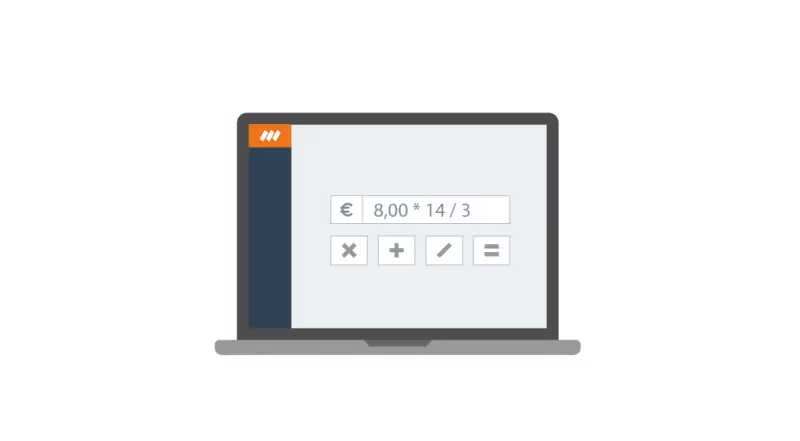
- You can now perform calculations in pricing fields. In every pricing field you can add, subtract, divide and multiply by using the designated symbols (+ - / *).
- The availability timeline in the equipment module now remembers the period you had selected previously.
- When selecting a crew member bar in the bottom timeline by clicking on it, the top timeline will automatically jump to the corresponding function bar.
- The project number is now added to the export of invoices.
- The maximum span of recurring appointments is no longer limited to two years.
Version F54 / B56
- Multiple improvements and fixes to the template editor
- When you scan an item to return you can now add a note to it.
- The sum of all equipment specifications in (sub)projects is now displayed in the widgets column under ‘Totals’.
- Comment lines now also have check marks (in the equipment tab of a project).
- When you hover over a project in the crew planner the location is now displayed in a tooltip.
- In the crew planner, you can set planned crew back to the times of the function by using the right mouse click.
- Fixed: temporary items could not be added at random occasions.
Version F53 / B55
- The speed of all actions in the crew planner has been improved by 200 to 500%.
- You can now add alternatives when editing an equipment item. When you are in a project and select an item you see the alternatives in the widget column and can add them to the project.
- When you register for a new free-trial the taxing and templates are now adjusted to your country.
- It is now possible to adjust the address format based on the country your business is in.
- Subprojects in the crew planner are opened by default so you can immediately see functions that require crew.