




















New · Crew · Enterprise Tier

Find skilled crew, comply with local labour laws & run large productions.

We help the world's leading event production teams handle the toughest parts of managing large productions: crew sourcing, compliance per country, manual crew admin, and underused permanent crew.

Book a demo
Book a demo
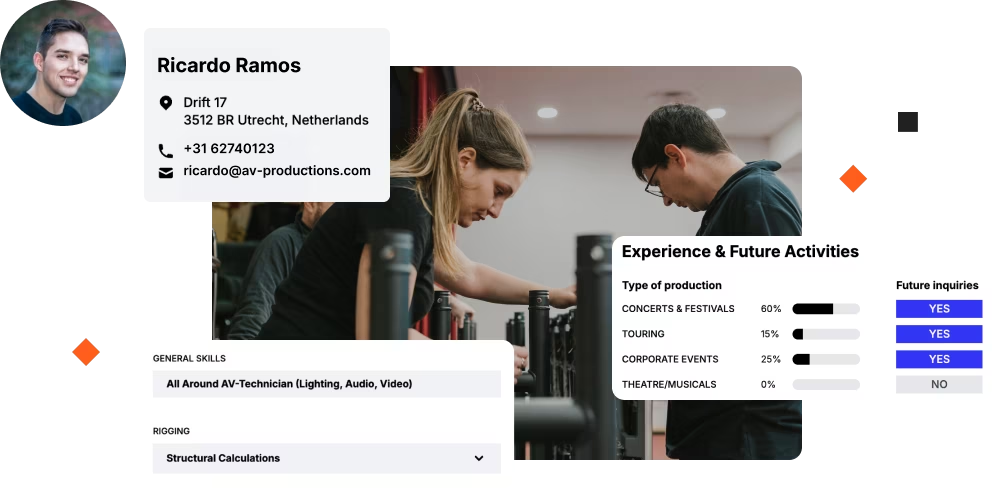
Crew planning software interface shown on a laptop and mobile, with workers setting up stage equipment.
Antagonist Inc.
Blair Entertainment
Bluefox Production
Camera Corner Connecting Point
Conde Nast
Eidecom
Equisek Inc.
GTX Productions
Harmony Event Productions
Icon Event Group
Image Production Services
In The Event
Klassic Sound & Stage
Logic Systems Sound and Lighting
Picture This Production Services & Stage
Poll Sound
Top Led Lumination
Top-Notch Productions, INC.
avad3 Event Production

Why Crew Enterprise?

Why industry leaders 
choose Crew Enterprise.

Find qualified professionals

Get access to a freelancer marketplace with thousands of industry-experienced professionals.

Stay compliant with local labour laws

Track worked hours, country-specific licenses and work permits to stay compliant across borders.

Save hours on crew admin

Book crew confidently from detailed profiles, skipping the back-and-forth that eats up your day.

Get the most from your crew

See remaining availability per employee, so you book internal crew first and freelancers when needed.

The CREWZONE marketplace

Thousands of qualified professionals, at your fingertips.

Man adjusting mixing console controls with software interface showing Brian McCann's profile and schedule.

Complete professional profiles

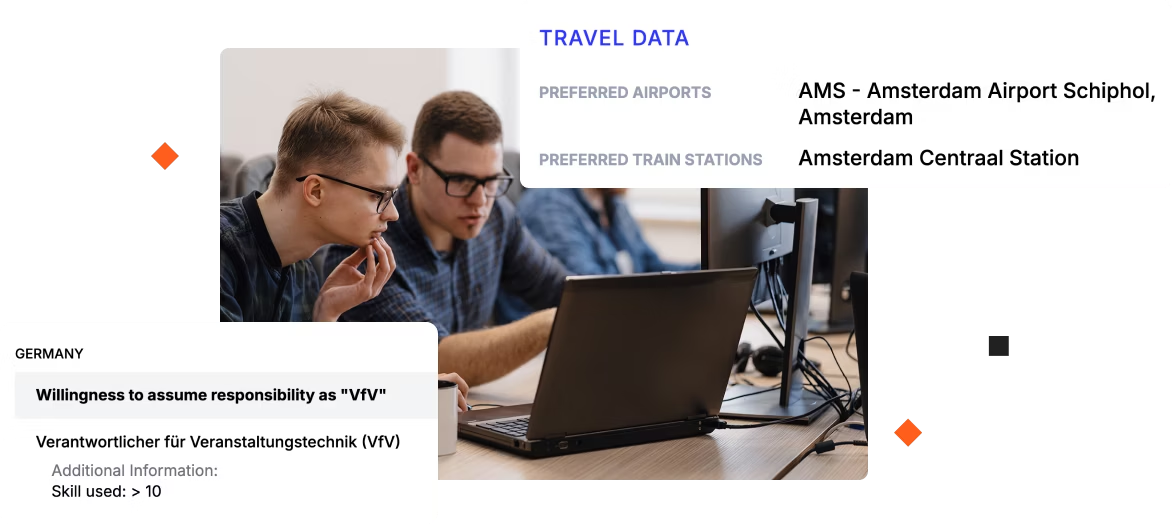
Search across thousands of professionals and your own internal crew. Find crew members by skill, country, language, certifications or work permits.

Past experience & references

See job preferences, past experience and references on every profile, with talent from the world's largest production groups.

Booking requests

Send booking requests to internal crew and freelancers, and track accepts, declines, and status changes in one place.

Multi-country compliance

Stay compliant in every country you operate in.

Two crew members in helmets standing near stage scaffolding and equipment at an outdoor event setup.

Country-specific pay rules

Configure over time, travel time, and night shift rules per country. Apply the right rate automatically on every booking.

Working-time monitoring

See when crew would exceed legal hours or miss required rest days. Warnings appear automatically before you confirm a booking.

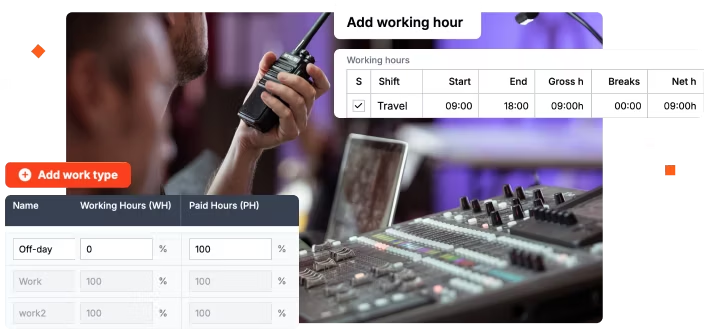
Working vs paid hours

Track time the way each country counts it. Configure working and paid hours separately, per activity and per country

Customize the way you work

Compare our plans and pricing options
to find the solution that fits your needs.

View plans
View plans

The Rentman mobile app

Communicate more efficiently

Person adjusting video camera with phone showing June 2025 work schedule and worked hours registration screens.

Crew availability & schedules

Save time communicating with your crew by letting them confirm jobs and update availability directly in the mobile app.

Invitations

Notify crew about available work with bulk invitations or first-come-first-serve emails instead of individual calls.

Pre-filled time forms

Log worked hours easily with pre-filled forms that crew can review and submit after each job.

The Time registration module

Track worked hours
and costs

Screenshot of a work hours table approved for crew members Brian McCann and Jerry Evans with event crew setting up stage.

Time reconciliation

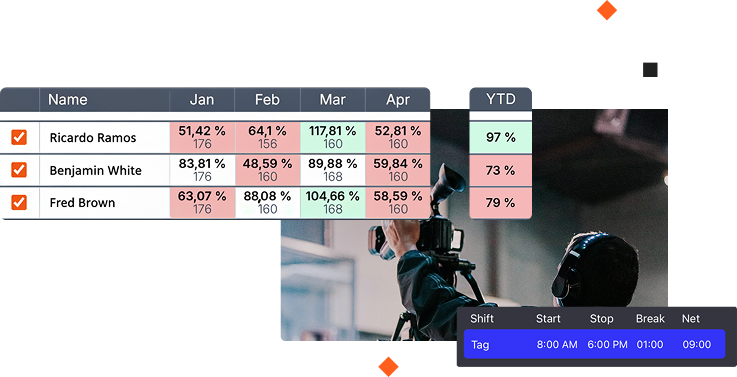
Spot budget overruns & ensure accurate client billing by comparing planned hours against actual worked hours.

Overtime and pay rates calculations

Prevent payroll mistakes & disputes by automating complex pay calculations for overtime.

Accounting & payroll software integrations

Avoid double entry and manual errors by syncing crew pay and costs directly to QuickBooks Online, Xero or Exact Online.

Rentman Platform Add-ons

Expand your workflow with Rentman Add-ons

Quotation details for DJ kit Dryhire with project info, time schedule, cost summary, and options to sign or download.

Quoting & invoicing

Create professional quotes, send invoices, manage customer payments, and monitor the profitability of your business.

Explore add-on
Explore add-on
User profile page for Ben Farley showing history log with added, modified, and deleted changes checked.

History logs

Keep track of changes being made to different parts of your Rentman workspace and spot who should be held accountable for mistakes.

Explore add-on
Explore add-on

History logs

Easily create quotes, send proposals, and manage billing.

Explore add-on
Explore add-on

Additional warehouse

Easily create quotes, send proposals, and manage billing.

Explore add-on
Explore add-on
Silhouettes of stage crew moving equipment in front of blue and yellow stage lights with drums in background.
Planners
Account managers
 Accounting & finance
Crew members

Persona slider

Built for

Planners

Know who's available, who matches job requirements & plan multiple events easily.

See crew availability, skills, and upcoming jobs across all productions in real time.
Catch scheduling conflicts automatically before they turn into double bookings.
Find replacement crew instantly when someone calls in sick or plans change.

Persona slider

Built for

Account managers

Create accurate crew quotes fast and keep project costs under control.

Use templates to quote recurring events instantly without rebuilding crew lists.
Generate quotes in minutes with automatic calculations.
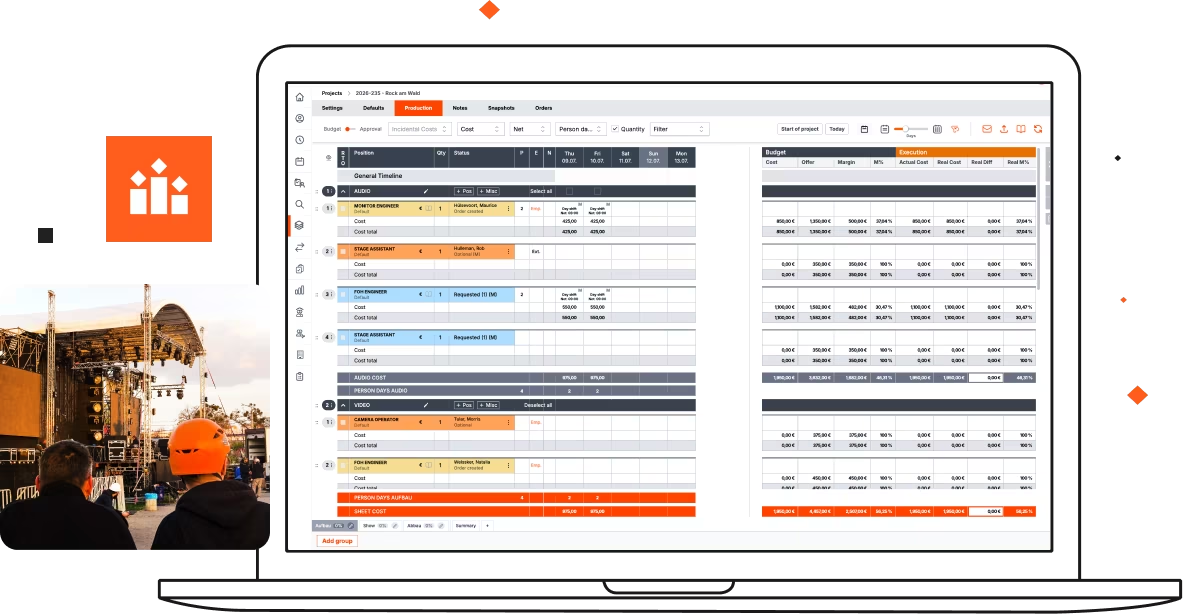
Track real-time labor costs as you build project plans to protect margins.

Persona slider

Built for

Accounting & finance

Get accurate crew cost data without chasing timesheets or manually entering hours.

Pull worked hours directly from Rentman.
Automate overtime calculations to prevent payroll errors and disputes.
Sync crew costs to accounting software automatically.

Persona slider

Built for

Crew members

Access your schedule, job invitations & details on the go.

View upcoming jobs, call times, and locations in the free mobile app.
Get instant notifications when schedules change or new job opportunities open up.
Log worked hours on-site with prefilled forms instead of filling out paper timesheets later.

Powering event & media productions in 70+ countries

Silhouettes of three crew members and cameras with blue and yellow light beams on set.

320K

Crew managed

 10M

Crew scheduled

230K

Invitations sent

2.6M

Time registrations created

Frequently asked questions

Get quick answers about features, setup & more.

If you activate your account, you’ll carry on using Rentman as usual. If you choose not to activate, your trial will automatically stop and you won’t be charged.

Yes, you are! You’ll need an Excel or .csv file and can use our template to get started. Simply follow the instructions in the Crew module.


You get unlimited free basic accounts for crew members. Only planners and managers need paid user accounts. This means your entire freelancer network can access the mobile app at no additional cost.

Yes, Rentman integrates with accounting and payroll software like QuickBooks, Xero, and Exact Online to sync worked hours and pay data automatically.

Crew get free access to the Rentman mobile app where they can view their schedules, accept or decline job invitations, see call sheets and job details, and log worked hours - all from their phones.

Testimonials

Testimonial

"It’s my favorite thing," Kathaleen says. "I don’t get after-hours emergency phone calls anymore. Everyone has what they need. It’s all in one place."

Kathaleen Groomes
Head of the College and Special Events Department
Blurry image of two people working with equipment cases in a large industrial or warehouse space.

XL Event Lab - AV and Event Production - 235 Employees

Read customer story
Read customer story