Event Staffing Software
Event staffing software that puts planners back in control.
Stop juggling text messages, spreadsheets, and calendars that are out of sync. Rentman is the operations management platform that centralizes your crew data, availability, communication, and labor in one place.












The industry recommends Rentman




Managing freelancers shouldn't be stressful.

Double-bookings
It’s too easy to book the same technician twice when calendars and spreadsheets don't talk to one another. Mistakes happen, and they impact your bottom line.

Last-minute scrambles
The show is tomorrow, and you’re still short on hands. Sending frantic texts begging people to help isn't a reliable strategy.

Blind spots in your schedules
Your crew availability is stuck in calendars and static spreadsheets. You can see names, but you have no real insight into who is available, who is fully booked, or where there are overlaps.

Implementation delays slow your team down
Your existing software took months to set up, didn't sync with your other tools, and required weeks of training. By the time it was ready, you still managed crew schedules in spreadsheets because it wasn't built for how you actually work.
Rentman brings clarity when managing your crew.
Here is how our platform eliminates your headaches and puts you in control of your crew.
Spot double bookings
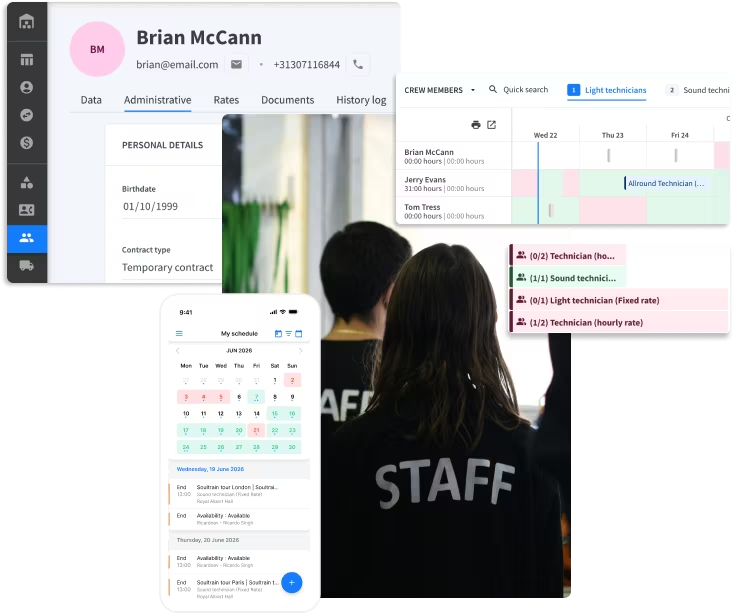
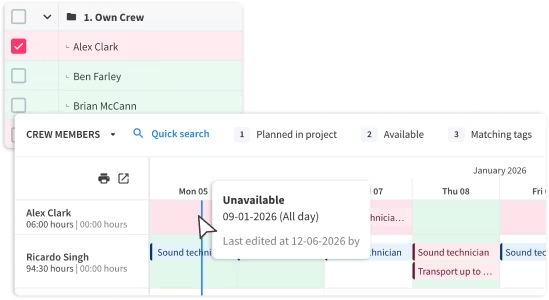
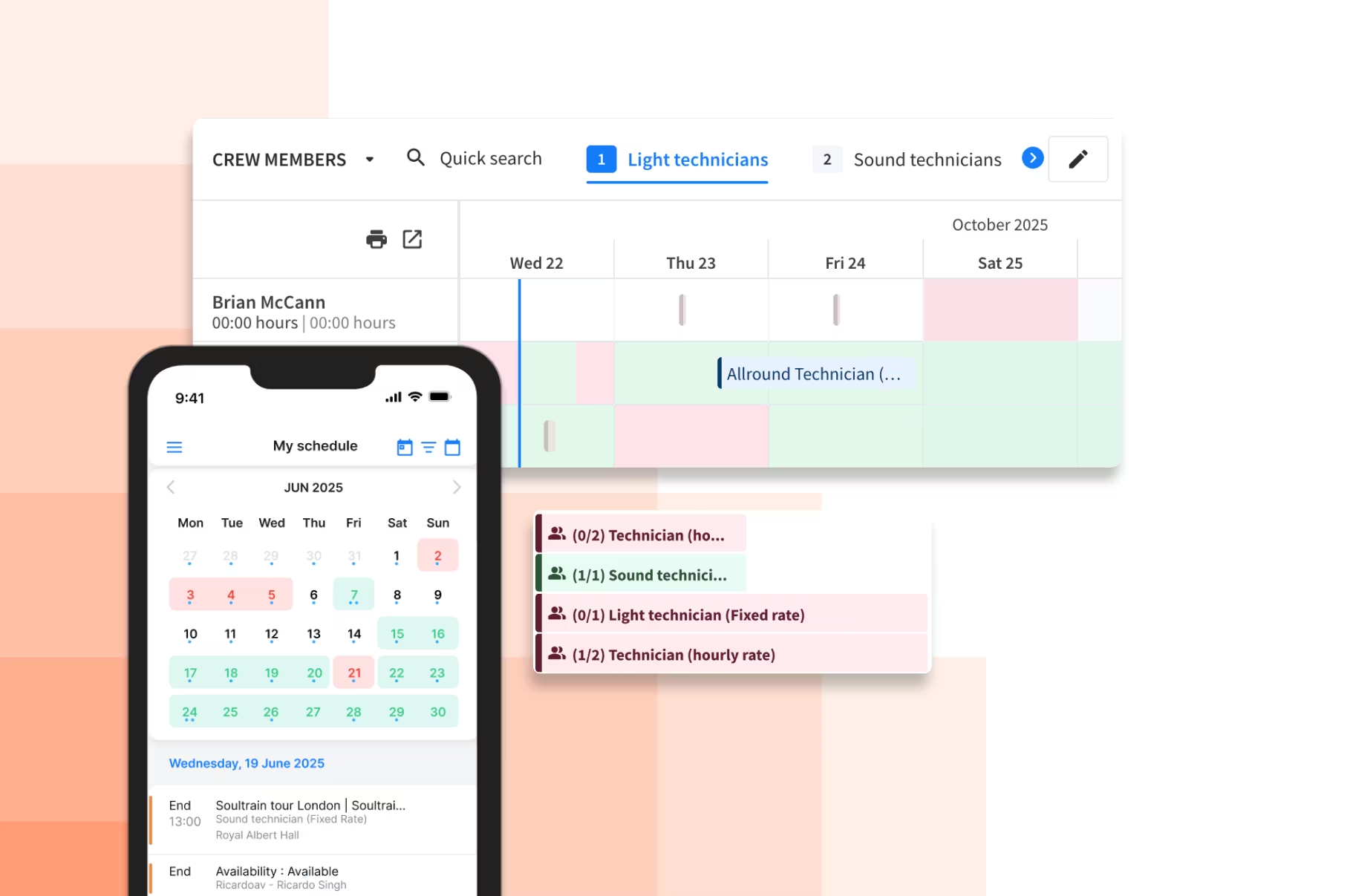
The Crew planner timelines instantly show conflicts. See exactly who is available and who’s already booked before you schedule someone for a job.
Skip the back-and-forth follow-ups
Send invitations that freelancers can accept instantly via the mobile app. It’s faster for them, and easier for you.

See a complete overview of availability and open jobs
No more jumping between different apps. See every job that needs to be filled, availability, and crew skills in one centralized view.


Event labor scheduling software that works for you
Generate schedules based on your crew's real availability and fill jobs in minutes, not days.
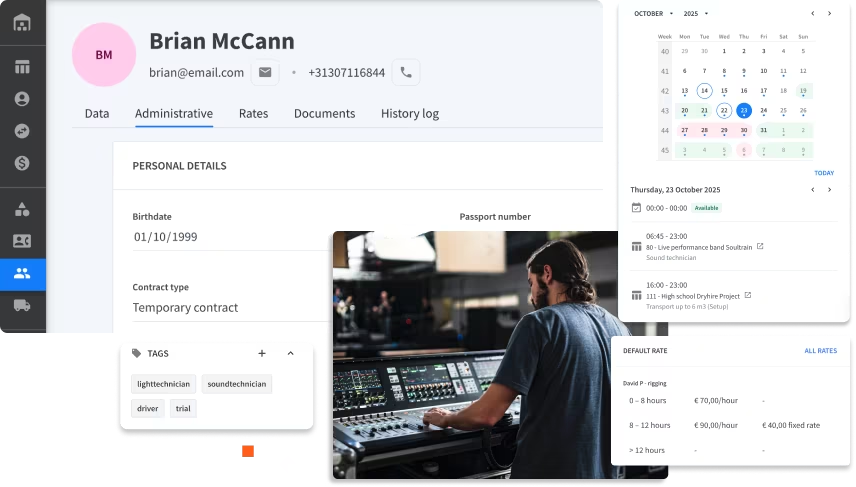
View availability & upcoming jobs
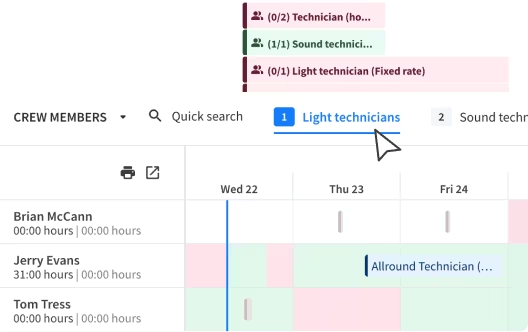
See upcoming jobs that need to be filled and crew availability in a single overview without switching tabs.
Centralize important crew information
Save important details, such as contact information, certifications, or contracts, in one place for faster access.
Filter crew with skills & tags
Don't accidentally book a stagehand for a technician role. Find the right crew member for every job by using custom filters for skills or tags.
A mobile app that keeps your crew connected
Your freelancers want flexibility and clear information. Give them a mobile experience that respects their time and keeps them informed.
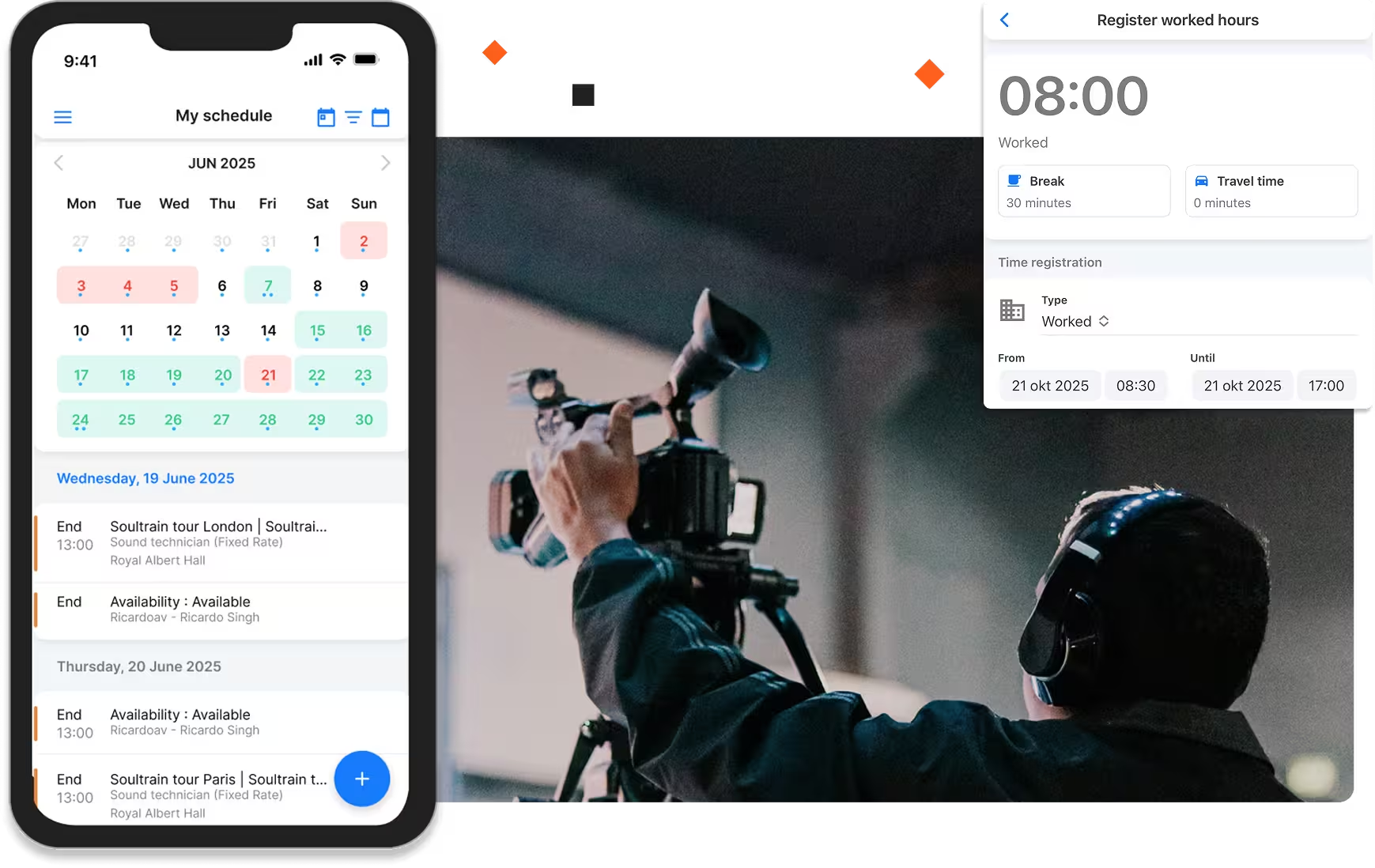
Send instant notifications
Your crew needs to know what time they're working, where to show up, and what to bring. Rentman sends this info directly to their phones, so you don't have to make phone calls or print call sheets when there are last-minute changes.
Save time with bulk invitations
Notify hundreds of freelancers about jobs instantly with invitations that can be sent in bulk or on a first-come first-serve.
Log worked hours with time forms
Time forms are prefilled, so crew members only need to check that the information is correct and confirm their hours. No need to enter details manually and risk mistakes.
Customize the
way you work
Compare our plans and pricing options
to find the solution that fits your needs.
.avif)
Track event crew hours and control costs
Move away from "guesstimating" labor costs. Get real data for your payroll and invoicing so you protect your margins.
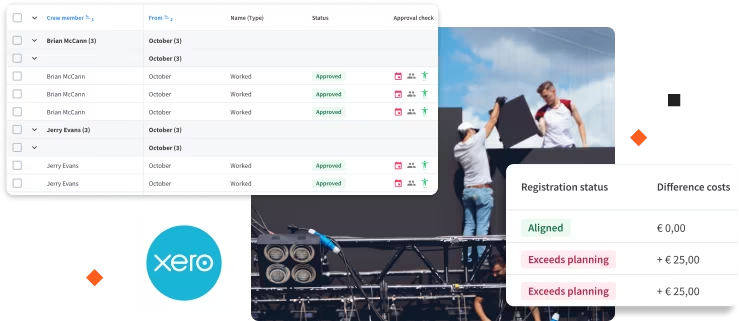
Digital time registration
Crew members clock in and out via the app. Replace messy paper timesheets with accurate digital logs that sync directly to your project.
Real-time labor costs
See your estimated labor spend vs. actuals as the event happens. Know immediately if overtime is eating into your profit margin.
Export to payroll software
Sync worked hours and crew costs with your accounting software to pay your people accurately and on time.
.png)
Total visibility over your workforce
From the warehouse to the main stage, know exactly who is working, how much overtime there was, and what tasks are still pending.
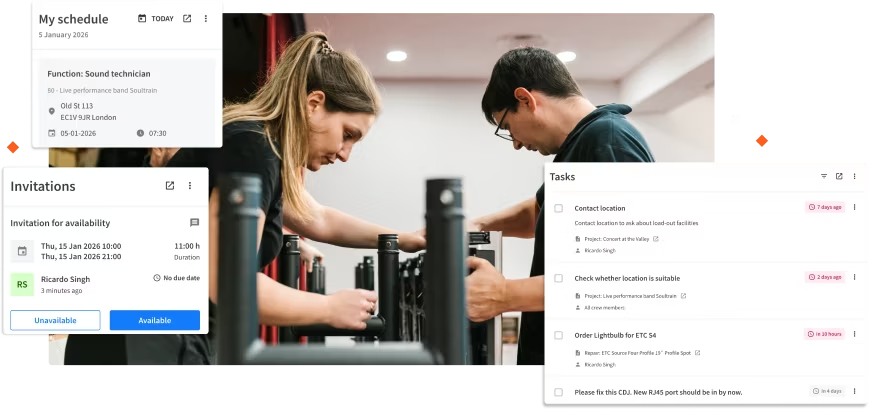
See the "Big Picture"
Drag and drop staff between projects to balance the workload and prevent burnout.
Task management
Ensure specific duties are tracked and completed, giving you peace of mind that nothing is forgotten.
Crew performance insights
Keep track of attendance and reliability. Identify your most dependable crew members and build a stronger team over time.
Choose the best solution for your needs.
Crew
Save important information, build schedules, communicate with crew, and track worked hours all from one place.
Inventory
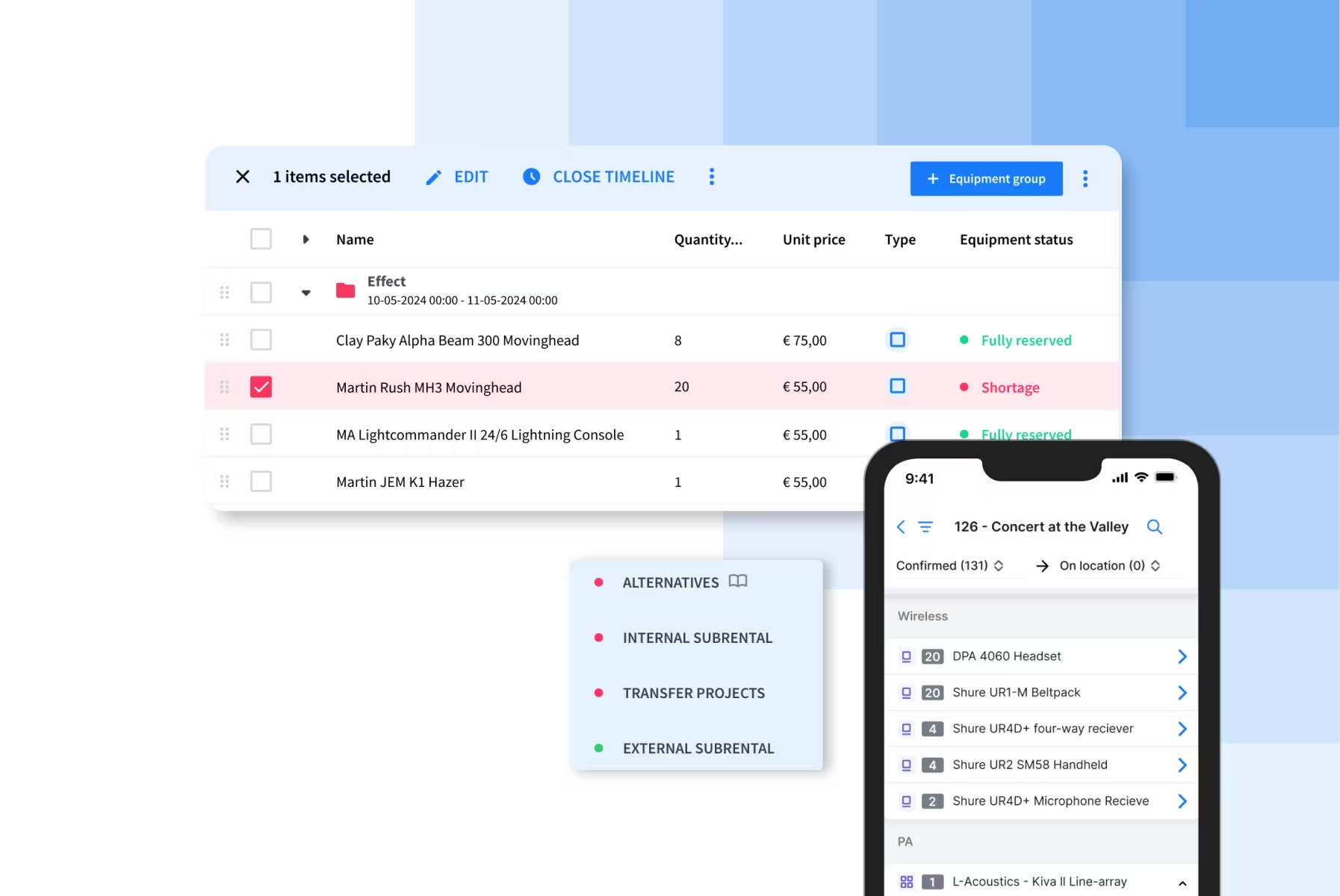
Manage all your equipment in one place. Track items, see real-time availability across locations, and prevent double bookings.
Quoting & Invoicing
Create professional quotes, send invoices, manage customer payments, and monitor your business's profitability.
History Logs
Keep track of changes made across different parts of your Rentman workspace and identify who should be held accountable for mistakes.
Powering event teams in 100+ countries.
.avif)
320K
10M
230K
2.6M

Why planners switch to Rentman.
You shouldn't have to choose between spreadsheets and expensive, clunky software. Rentman hits the sweet spot: powerful enough for pros, but simple enough for your whole team to use.

Rentman
Spreadsheets

Other rental tools
Double booking warnings


Mobile Crew App
User Friendliness
Community Support
Testimonials
.avif)
Frequently asked questions
Get quick answers about features, setup & more.
Yes. Rentman syncs with Google Calendar, so your crew's shifts automatically show up in their personal calendar. They see their Rentman schedule in the same place they check everything else.
Your freelance crew members can download the app and use it for free. They just need your invitation to access their shifts and schedule. You pay for the account, they get access at no cost.
Spreadsheets get outdated fast and don't send notifications when things change. With Rentman, your crew gets instant updates on their phone, you can see who accepted a shift in real time, and everything stays current. Plus, you save time by not managing spreadsheet versions and by not chasing crew to confirm they got the schedule.
You get unlimited free basic accounts for crew members. Only planners and managers need paid user accounts. This means your entire freelancer network can access the mobile app at no additional cost.
Yes, you can! You’ll need an Excel or .csv file, and you can use our template to get started. Simply follow the instructions in the Crew members module.