Product updates
We work hard on improving Rentman every day. Find out what's new in our latest updates.
All
Inventory
Equipment Tracking
Crew
Quoting & Invoicing
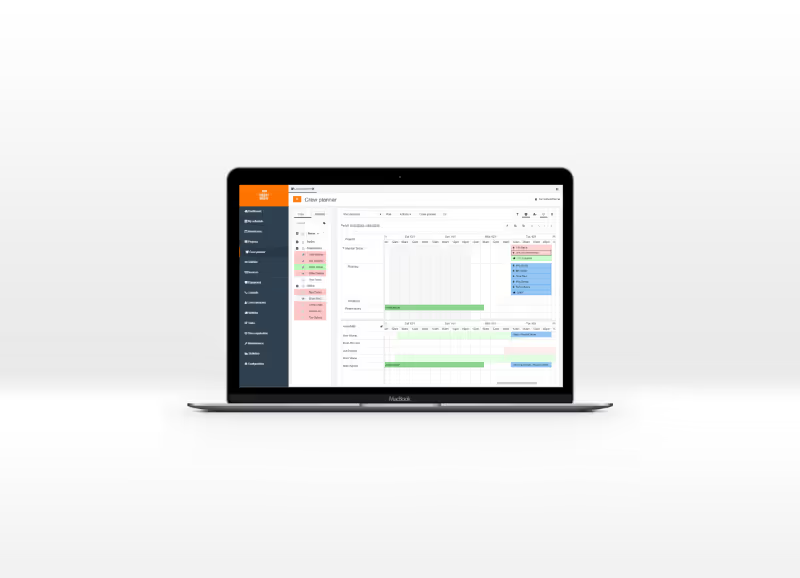

Version F51 / B54
- You can now select a default payment method for your invoices.
- When you edit the CSS of a template you now have a larger screen for a better overview.
- We fixed an issue where you weren’t able to change the tax scheme for invoices already created.
- We fixed a bug for reserving equipment when subprojects were split between planning and financial.
- Subprojects that were excluded from the financial calculation are now visibly excluded from the totals in the financial tab.
- The issue with taking over the summertime for projects with a project template is fixed.
Version F49 / B52
- You are now able to set a specific insurance rate for a client.
- We have added an option to deactivate crew members in their profile. This logs the user out and blocks him from accessing the system.
- All the drop-down menus with linked items are now alphabetically sorted. For example your templates and VAT codes.
- A new indicator on your dashboard shows canceled projects where crew is still planned on.
- When your equipment groups were grouped by folder structure the sorting on slips would be alphabetical. We have changed this.
- We added a new module to the template for function groups. You can now add your function groups to your slips.
Version F48 / B51
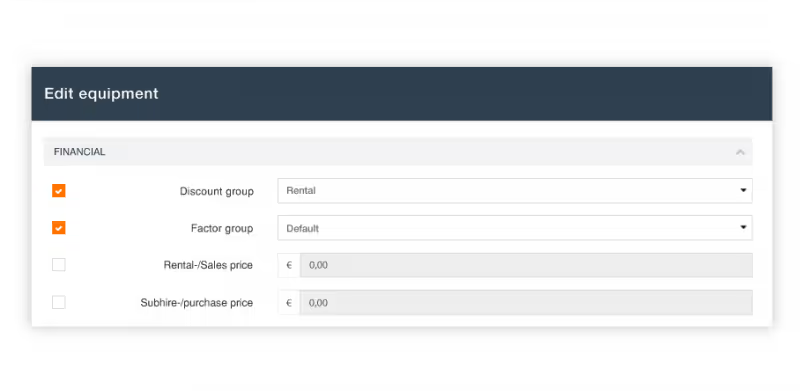
- You are now able to edit multiple equipment items at the same time. Simply select multiple items > click on more actions and select ‘edit multiple items’.
- We have added an option to the time schedule of your templates. You are now able to display the times for the current subproject and the main project.
- A bug that showed the attachment size of emails in gigabyte instead of kilobytes is corrected
- We fixed a bug that allowed certain users to access projects without having the permissions to do so. You now get a warning message saying that you don’t have permissions
Version F45 / B48
- For users in countries that use the 12-hour clock, times in Rentman can now be entered and displayed in AM and PM.
- When planning equipment in a project you now see more details of a selected item in the right widget column.
- We have added a button to the ‘General’ tab of a project to recalculate distances for project function when adding a new location.
- You can now set the contract hours for crew members and keep track of the difference in the number of worked hours and contract hours.
Version F44 / B46
- When you invite crew for a job and want to select extra days you can now modify the time of the extra days in the pop-up window.
- All numeric values in a table (prices, quantities, percentages etc.) are now aligned on the right.
- For users who don’t have rights to edit the planning the planning tab is now also hidden in the project.
- When you want to cancel a project with crew planned on it, you will get a notification of this with the option to erase all scheduled persons at once.
- When you try to delete equipment from your database you get an extra check with a warning message signaling that you will also delete the item from all previous projects.
Version F43 / B46
- Crew members can now be imported into Rentman.
- You are now able to hide crew members in your planner. The option is listed under the ‘Details’ column when editing a crew member.
- In the default transport function (in a project) you now have the option for automatic calculation of travel time and distance.
- We have added a ‘Current’ field where you can set the value in Ampère for equipment items.
- We have added several improvements to dragging the mouse over multiple functions in the crew planner.
- We fixed an issue in the export of projects, prices will now be exported as nummeric values.