Product updates

We work hard on improving Rentman every day. Find out what's new in our latest updates.

All
All
Inventory
Inventory
Equipment Tracking
Equipment Tracking
Crew
Crew
Quoting & Invoicing
Quoting & Invoicing
Version F69 / B76Version F69 / B76

Version F69 / B76

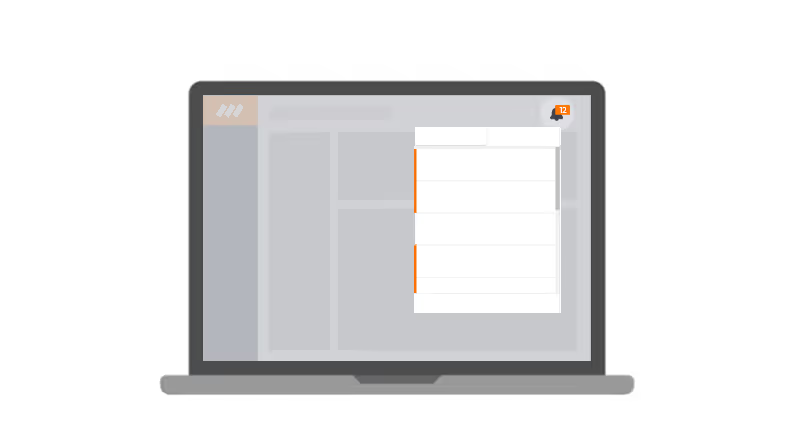
  • We added notifications to the software.
  • You’re now able to sort the extra input fields.
  • We added a new module to the template editor: "module subhire equipment”
  • Add variables for the logged in user and/or the company details.
Version F67 / B73Version F67 / B73

Version F67 / B73

  • Use the shortcut “Alt + Shift + L” to log out.
  • Add remarks to time registrations.
  • Style your notes on documents.
  • We improved the formatting of the export to Excel documents.
  • We fixed multiple issues e.g. regarding templates and unplanned functions.
Managing your rental business's finances just got easier… Rentman now integrates with QuickBooks OnlineManaging your rental business's finances just got easier… Rentman now integrates with QuickBooks Online

Managing your rental business's finances just got easier… Rentman now integrates with QuickBooks Online


Rentman’ cloud-based rental management software for the AV, event and production industry now seamlessly integrates with Quickbooks Online, optimizing your rental workflow even further.

Version F66 / B72Version F66 / B72

Version F66 / B72

  • Format texts in editing text fields in lists.
  • Get a warning when there are unsaved changes and you want to log out.
  • Focus on the correct time of a function by looking at the highlighted period in the availability timeline in the planner tab in projects.
  • We fixed an issue regarding the visibility of the notes when editing them after they were created.
Use shift to toggle items and edit them all at onceUse shift to toggle items and edit them all at once

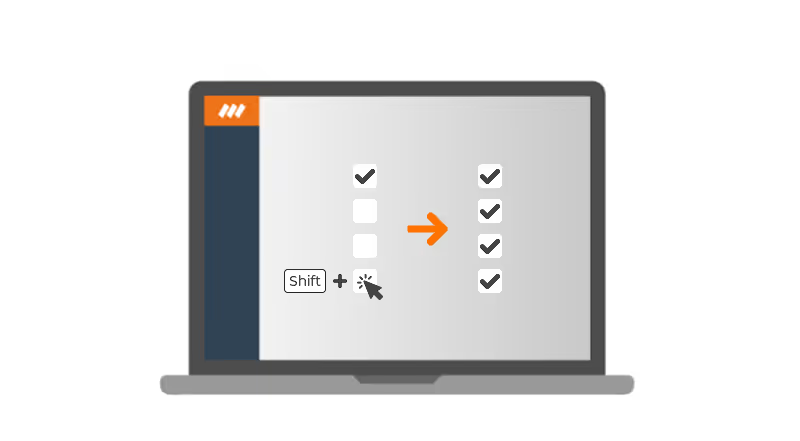
Use shift to toggle items and edit them all at once

You're now able to toggle multiple items in one go by holding shift. With this update, you no longer have to select each individual item, but can select a large range of items quickly.

Version F65 / B71Version F65 / B71

Version F65 / B71

  • To select a range of items in a list, you can now toggle the checkboxes by holding shift.
  • We added the possibility to change the availability of vehicles. Just as for crew members, you can now mark a period as available, not available or unknown.
  • You can display the planning of all the crew members at once in the module (My) Schedule.
  • Immediately open projects from the module My Schedule.
  • To get a broader overview of the availability of your vehicles and crew members, we added the option to display the availability timeline in full-screen.
Version F63 / B68Version F63 / B68

Version F63 / B68

  • We added the dimensions (Height, Length, Width) to the Equipment widget.
  • The invitations in the crew planner and the schedule are now sorted by reply status.
  • When deleting the last created invoice, the system will ask you if you want to reset the invoice numbers back.
  • The Excel export now always exports in the right time zone.
Version F62 / B67Version F62 / B67

Version F62 / B67

  • It is now possible to change already answered invitations in the crew planner module.
  • When scanning extra equipment to a project, you can now add all of the scanned extra items to the project with one click.
  • You can now create a contact person for the location, just as you always could for your clients.
  • The order of the subprojects is now the same in the crew planner as in your project.
Version F61 / B66Version F61 / B66

Version F61 / B66

  • You're now able to see projects in (My) Schedule and can use filters to change the view.
  • After booking all equipment to a certain status in the warehouse, a pop-up will open, asking if you want to change the status of the project.
  • In the crew planner, you're now able to filter the displayed functions.
  • You can now immediately book extra equipment to the right status.