Product updates
We work hard on improving Rentman every day. Find out what's new in our latest updates.
All
Inventory
Equipment Tracking
Crew
Quoting & Invoicing

Version F66 / B72
- Format texts in editing text fields in lists.
- Get a warning when there are unsaved changes and you want to log out.
- Focus on the correct time of a function by looking at the highlighted period in the availability timeline in the planner tab in projects.
- We fixed an issue regarding the visibility of the notes when editing them after they were created.
Version F65 / B71
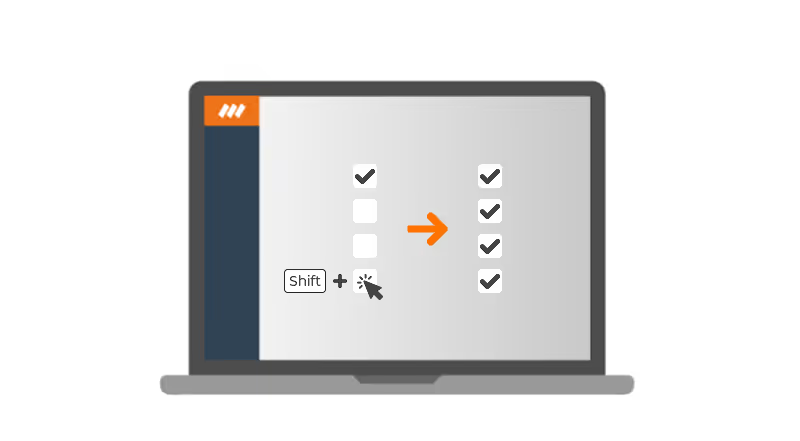
- To select a range of items in a list, you can now toggle the checkboxes by holding shift.
- We added the possibility to change the availability of vehicles. Just as for crew members, you can now mark a period as available, not available or unknown.
- You can display the planning of all the crew members at once in the module (My) Schedule.
- Immediately open projects from the module My Schedule.
- To get a broader overview of the availability of your vehicles and crew members, we added the option to display the availability timeline in full-screen.
Version F63 / B68
- We added the dimensions (Height, Length, Width) to the Equipment widget.
- The invitations in the crew planner and the schedule are now sorted by reply status.
- When deleting the last created invoice, the system will ask you if you want to reset the invoice numbers back.
- The Excel export now always exports in the right time zone.