Rentman vs Spreadsheets: one live source of truth for equipment, crew & costs
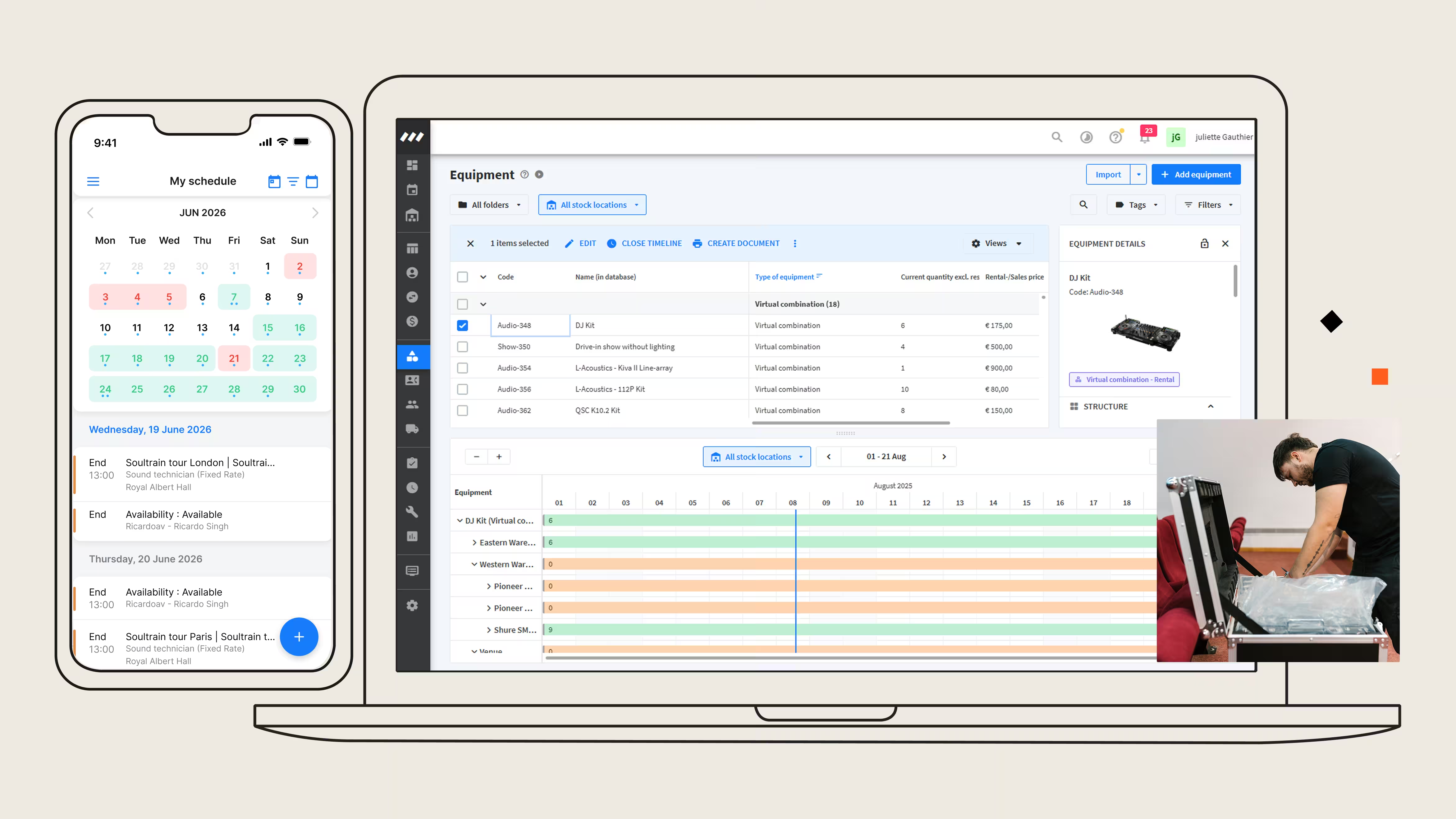
When you’re planning your production with spreadsheets, every copy of the file can show something different. Rentman keeps gear, crew, and finances in one live view, so everyone knows what is booked, what is available, and what a job really costs.
Why AV & event production companies switch from spreadsheets to Rentman



How does Rentman compare to spreadsheets?
From manual processes in spreadsheets and shared docs to software built for live events, here is how Rentman compares.

Rentman
Spreadsheets (Excel, Google Sheets)

Competitor 2
One live source of truth


Real-time availability and conflict detection
Create quotes with reusable templates
Crew scheduling and communication
Job profitability and cost control
Subrental and shortage solutions
Multi-location stock control

Frequently asked questions
Switch when multiple people need the same information at the same time. One person working from one file is manageable, but once the warehouse, office, and crew all depend on it, different versions start to appear.
Another sign is how much work is still manual: retyping the same details, rebuilding quotes, or copying crew hours from messages. These tasks are easy to get wrong, and mistakes often surface late, leading to rushed subrentals or corrected invoices.
Spreadsheets record what you type in but do nothing with it, so they cannot warn you when two jobs need the same case, update a plan when one booking changes, or tell the warehouse what to pack. Rentman checks availability across every project and flags conflicts before you commit, updates every linked job the moment something changes, builds packing lists from the project itself, and sends schedules to your crew's app, so what is planned always matches what is actually happening.
You know your AV business is outgrowing spreadsheets when manual work starts creating more mistakes and taking more time. Double bookings are caught too late, shortages lead to rushed subrentals, crew hours get retyped, and profitability only becomes clear after the job is done. Spreadsheets can only reflect what someone last entered, so they cannot flag these issues before they become costly.
Yes, but it has its limitations. A spreadsheet is a workable stock list, and plenty of companies run one successfully for years. What it cannot do is tell you an item is already committed to another job next weekend, show the warehouse what to pack without someone exporting a new list, or record whether every case came back and in what condition.
Yes. Instead of scattering updates across WhatsApp, texts and email, everything goes out from Rentman in one place. You send job details, schedules, and changes in bulk, and your crew accept jobs and see the latest information in a free mobile app. Because the messages and the schedule live together, you can always see who was invited, who accepted, and what they were sent.
No. Crew and freelancers get unlimited free basic accounts, so your whole freelancer network can use the mobile app to see schedules, confirm jobs and log hours at no cost. Paid accounts are only needed for the planners and managers who build and edit projects.
Yes. Rentman covers the full production workflow from quote to invoice, including equipment, crew, transport, and project finances. It is built specifically for AV and live event production, so your gear and your people are planned together rather than in separate tools.
Yes, you can! You’ll need an Excel or .csv file, and you can use our template to get started. Simply follow the instructions in the Crew members module.
Yes, you can! You’ll need an Excel or .csv file and can use our templates to get started. Simply follow the instructions in the Equipment module.
Ready to replace spreadsheets with Rentman?
See what your operation looks like when availability, packing lists, and job costs update automatically. Start a free trial, or talk to one of our experts for a personalized walkthrough.