


- Le logiciel de devis pour la production événementielle qui permet de remporter plus de contrats
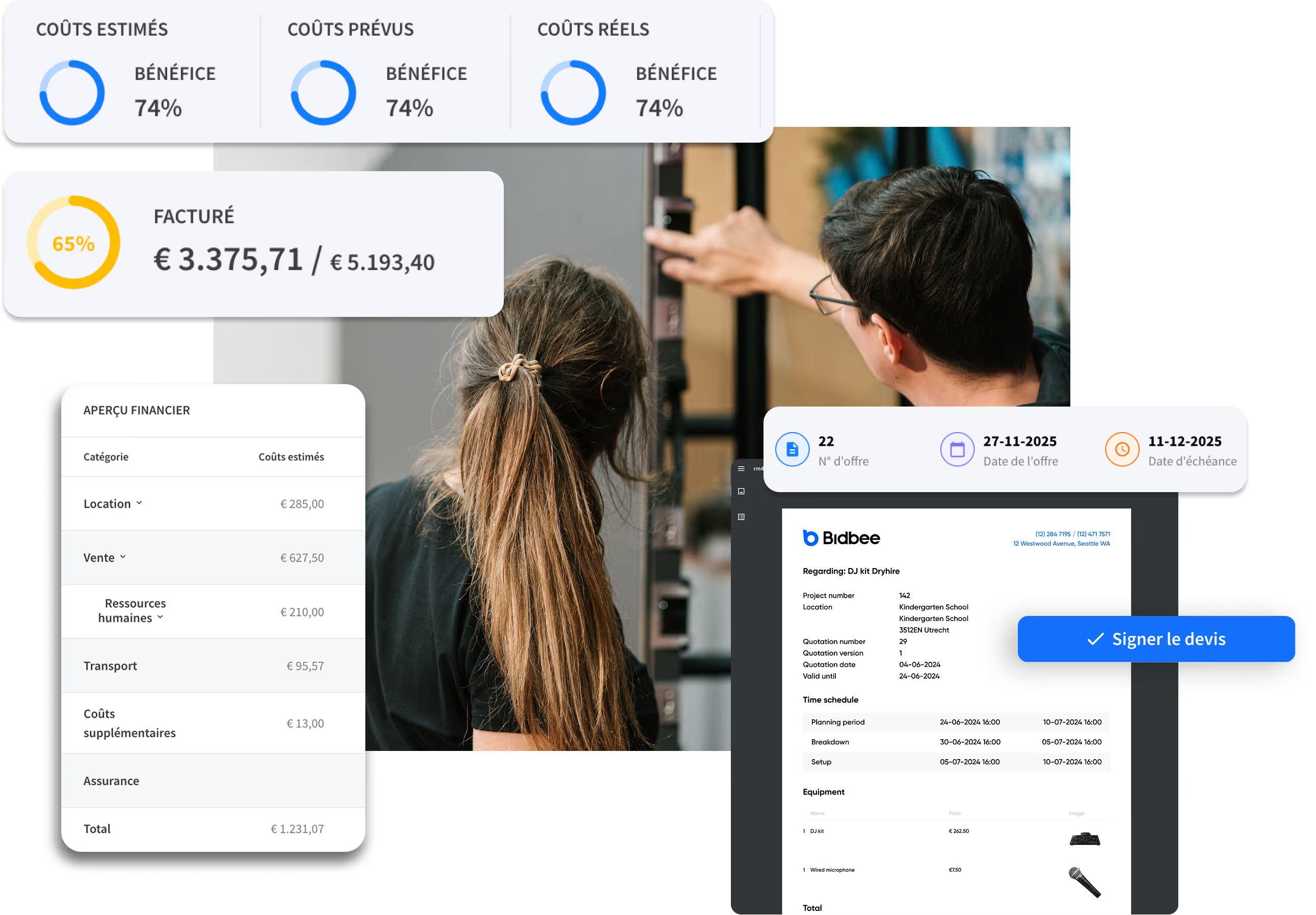
Créez des propositions professionnelles en quelques minutes. Consultez la disponibilité des équipements en temps réel, protégez vos marges bénéficiaires et faites signer vos contrats plus rapidement.
















Plébiscité par les plus grandes entreprises événementielles à travers le monde.



Pourquoi perdez-vous des appels d’offres face à vos concurrents ?

Devis à l'aveugle
Vous envoyez un devis, mais au moment où le client signe, le matériel est déjà réservé. Sans visibilité en temps réel sur le parc matériel en entrepôt, vous risquez des surréservations ou des ruptures de stock embarrassantes en dernière minute.

Les frais cachés qui rongent les bénéfices
Vous avez accepté le projet, mais vous n'avez pas réalisé qu'il vous manquait certains équipements essentiels. Vous louez donc désespérément à un concurrent au prix fort, ce qui réduit à néant la marge que vous pensiez faire.

Propositions peu convaincantes
Une simple liste de câbles et d'adaptateurs en texte brut ne permet pas de vendre l'expérience. Les clients ne peuvent pas visualiser ce qu'ils achètent, ce qui laisse place au doute et à la négociation du prix.

Temps administratif perdu
Repartir de zéro à chaque création de devis dans Word ou Excel vous fait perdre en efficacité. Cela laisse peu de place à la créativité ou à la vente incitative, car vous passez trop de temps à corriger les erreurs de formatage.
How Rentman and Shopify work together
From first inquiry to final invoice.
Your Shopify webshop captures customers. Rentman handles everything from there.
How to set up your Shopify webshop
Your webshop: Up and running in a day
No developers. No technical expertise. Just a guided setup that takes you from connection to live webshop in a day.
Step 1. Set up
Build your equipment database in Rentman with images, descriptions, pricing, and factor groups.
Step 2. Connect
Link your Rentman workspace to Shopify in minutes through a guided setup.
Step 3. Customize
Choose which equipment to display, sync your folders as collections, and style your storefront with Shopify themes.
Step 4. Go live
Your webshop is live. Equipment syncs daily, customers submit requests, and everything flows into Rentman automatically.
Handle order intakes more efficiently
Choose your checkout
Two checkout modes: direct payment through Shopify, or quote requests that arrive in Rentman for your team to review and confirm. You decide what fits your workflow.
Apply price factors for multi-day hires
Set up price factors in Rentman to offer discounts for multiple-day hires. They sync to your webshop automatically, so customers always see the right pricing.
Orders arrive complete in Rentman
Every webshop request lands in Rentman with everything already filled in: equipment list, rental dates, and contact details. No copying between systems. Everything your team needs to get started is already there.
Questions fréquemment posées
Obtenez des réponses rapides sur les fonctionnalités, la configuration & plus encore.
Not necessarily. The Shopify Integration can add a webshop to your existing website. You embed it however you like, running it alongside your current site. If you do want to move your current website into Shopify, that is also an option. So you have your website and webshop running from one place.
No. The guided setup walks you through every step. No developers, no APIs, no code required.
Requests flow directly into Rentman as rental requests, appearing exactly where your team is already working on projects.
Yes. You configure your webshop for either quote requests or direct payment, whichever fits your workflow.
Yes, a Shopify subscription is required. Plans start at $24/month, with a 3-day free trial.