

- Programa de presupuestos para la producción de eventos que atrae más clientes
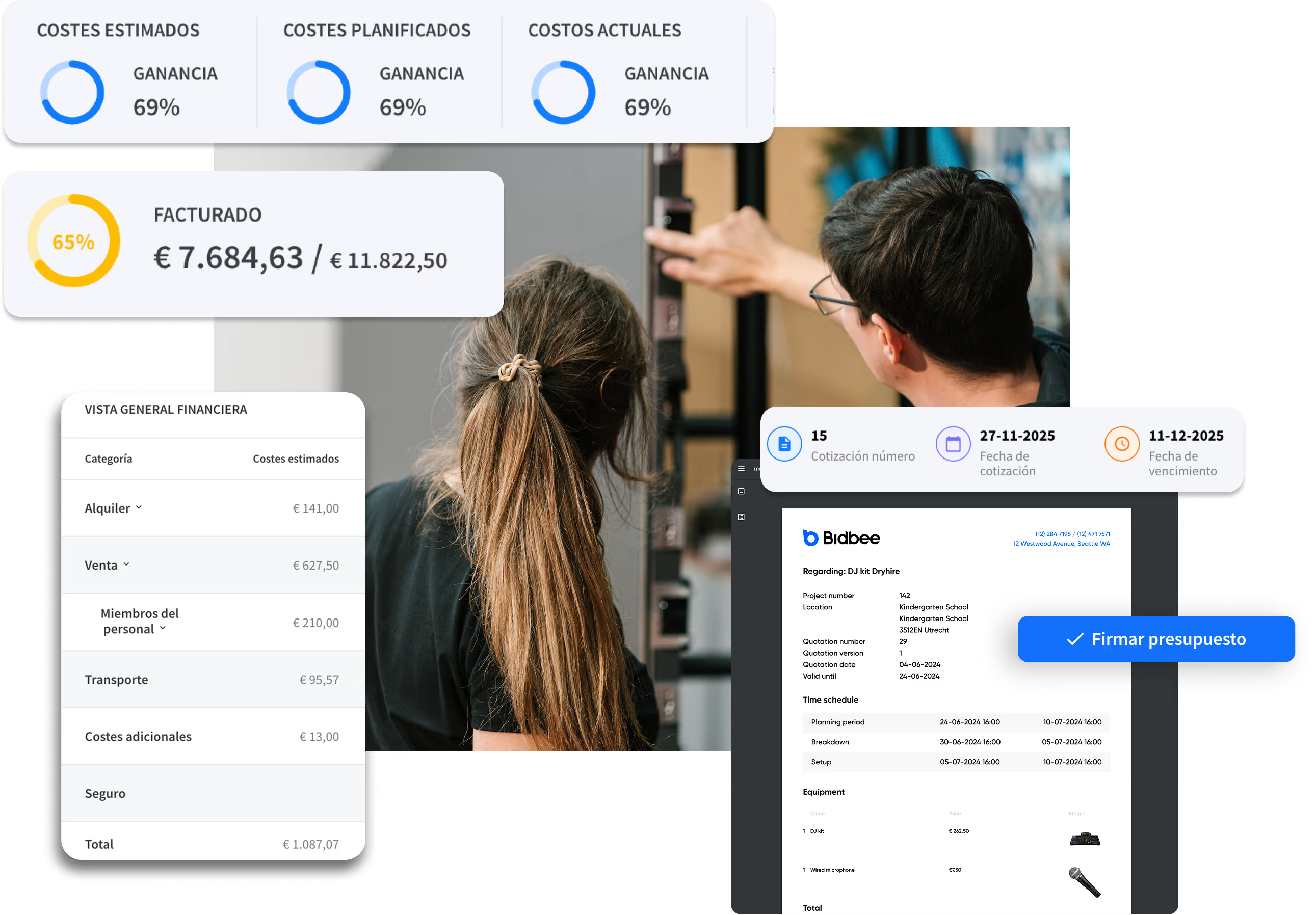
Crea propuestas profesionales en minutos. Consulta la disponibilidad del equipo en tiempo real, protege tus márgenes de beneficio y firma contratos más rápido.
















Somos la apuesta segura de las principales empresas de eventos en directo del mundo.




¿Por qué pierdes contratos frente a la competencia?

Presupuestos en la oscuridad
Envías un presupuesto, pero para cuando el cliente lo firma, el equipo ya está reservado. Sin visibilidad en tiempo real de las existencias en el almacén, se corre el riesgo de exceso de reservas o cometer errores embarazosos por escaseces de última hora.

Costes ocultos que merman los beneficios
Has aceptado el trabajo, pero no te has dado cuenta de que te falta equipo esencial. Ahora te ves obligado a alquilar a la competencia a precio total, lo que reduce el margen que pensabas tener.

Propuestas poco convincentes
Enviar una lista en texto plano de cables y adaptadores no vende la experiencia. Los clientes no pueden visualizar lo que están comprando, lo que deja margen para la duda y la negociación del precio.

Tiempo administrativo desperdiciado
Elaborar cada presupuesto desde cero en Word o Excel acaba con tu dinámica. Deja poco margen para ser creativo o aumentar las ventas, ya que pasas demasiado tiempo corrigiendo errores de formato.
How Rentman and Shopify work together
From first inquiry to final invoice.
Your Shopify webshop captures customers. Rentman handles everything from there.
How to set up your Shopify webshop
Your webshop: Up and running in a day
No developers. No technical expertise. Just a guided setup that takes you from connection to live webshop in a day.
Step 1. Set up
Build your equipment database in Rentman with images, descriptions, pricing, and factor groups.
Step 2. Connect
Link your Rentman workspace to Shopify in minutes through a guided setup.
Step 3. Customize
Choose which equipment to display, sync your folders as collections, and style your storefront with Shopify themes.
Step 4. Go live
Your webshop is live. Equipment syncs daily, customers submit requests, and everything flows into Rentman automatically.
Handle order intakes more efficiently
Choose your checkout
Two checkout modes: direct payment through Shopify, or quote requests that arrive in Rentman for your team to review and confirm. You decide what fits your workflow.
Apply price factors for multi-day hires
Set up price factors in Rentman to offer discounts for multiple-day hires. They sync to your webshop automatically, so customers always see the right pricing.
Orders arrive complete in Rentman
Every webshop request lands in Rentman with everything already filled in: equipment list, rental dates, and contact details. No copying between systems. Everything your team needs to get started is already there.
Preguntas frecuentes
Obtén respuestas rápidas sobre funciones, configuración y mucho más.
Not necessarily. The Shopify Integration can add a webshop to your existing website. You embed it however you like, running it alongside your current site. If you do want to move your current website into Shopify, that is also an option. So you have your website and webshop running from one place.
No. The guided setup walks you through every step. No developers, no APIs, no code required.
Requests flow directly into Rentman as rental requests, appearing exactly where your team is already working on projects.
Yes. You configure your webshop for either quote requests or direct payment, whichever fits your workflow.
Yes, a Shopify subscription is required. Plans start at $24/month, with a 3-day free trial.